Keep track of what's happened and when
📱Paddock history
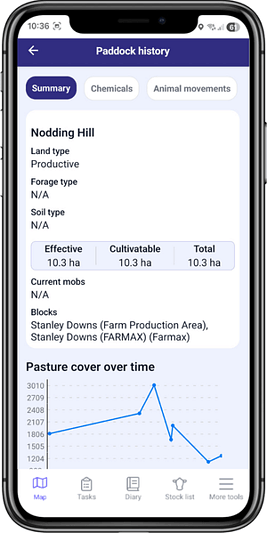
See the complete history of a paddock including fertiliser and chemical applications, moves and pasture covers
Get a quick snapshot of what events happened in a specific paddock and when, so you know when another fertiliser or chemical application might be due
View paddock information, such as size, related blocks, irrigation and other features
See land, forage and soil type at a glance
Access paddock history by clicking on a paddock from the map or through the report centre
Paddock precision
📱Open and close paddocks
You can now mark a paddock as open or closed - super handy if you need to leave a paddock empty and don't want it's pasture to factor into available feed
Close a paddock for any reason, for example, if it is not currently grazable, if it is growing feed or crops, or if it's too bogged down with mud in the winter
If a paddock is closed, you can still enter pasture cover measurements for it, but that paddock will be excluded when you run a feed wedge
Open a paddock when it is ready to go back into rotation and be grazed again
There are no limits on how often a paddock can be closed or opened, and you can close as many paddocks as you need
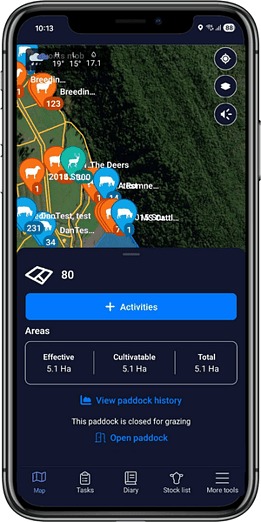
Welcome to the dark side
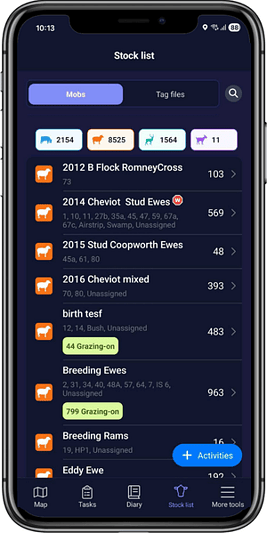
📱Dark mode on mobile
If you use dark mode on your mobile, you might notice FarmIQ is black the next time you open it!
FarmIQ now works in dark mode, so if you have that mode turned on then FarmIQ will automatically go dark too
If you turn off dark mode, FarmIQ will automatically return to the white/light mode
Dark mode is useful for saving battery, it's gentler on the eyes, and it just looks pretty darn cool