Measure by drawing on the map
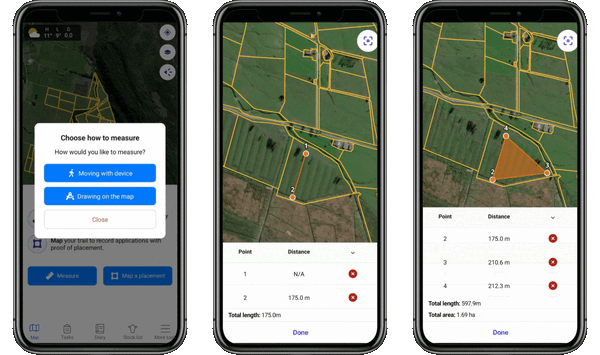
You can now draw directly on the mobile map to measure lengths and areas by plotting two (or more) points. Perfect for fencing, spraying or jobs without needing to physically walk the land.
Draw two or more points to measure distance
Seal off shapes to get total area
Remove or redraw points
How to use it:
From the map, tap Measure Tool > Measure > Drawing on the Map > Add two or more points.
Found Stock on mobile
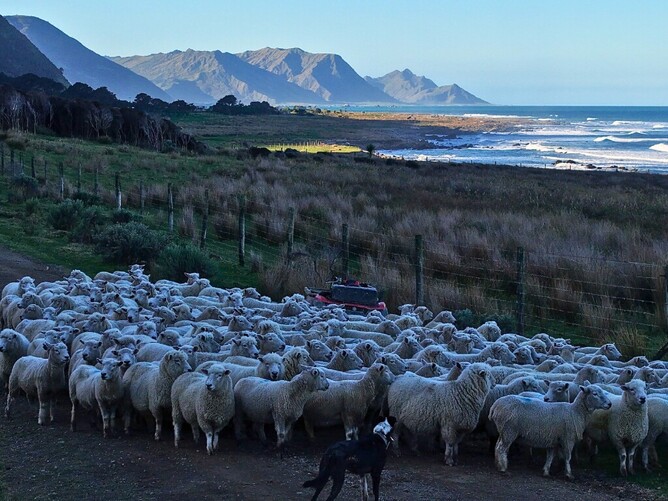
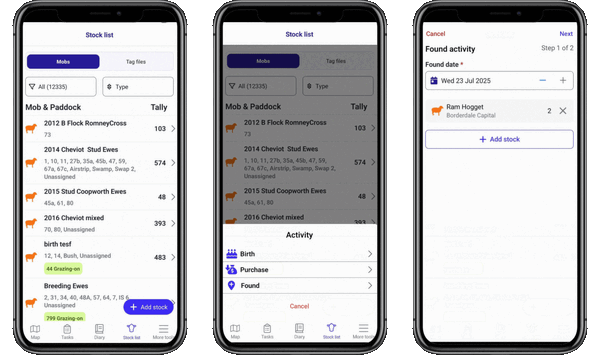
Keep your tallies accurate and up to date while on the go with the new ‘Found’ stock activity type, now available on mobile. It’s perfect for those moments when you come across stock that have returned or were missed in earlier tallies - record it then and there while it’s fresh in your mind.
How to record a Found stock activity:
Go to Stock List > Add Stock > Found
Once recorded, the Found stock will sync to your activity log and appear in your farm diary on both web and mobile, ensuring your records stay consistent no matter where you're working.
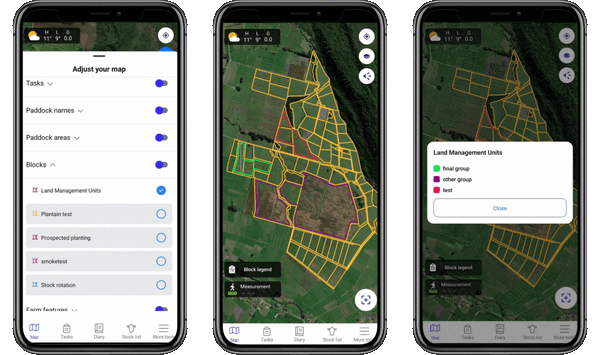
Viewing Block Groups on mobile
Block Groups (previously web-only) can now be viewed on the mobile map. Great for seasonal grazing plans and larger farms.
View via Layers > Enable Blocks
Includes a clear legend and toggle options
Note: Block Groups must be set up via the web first.
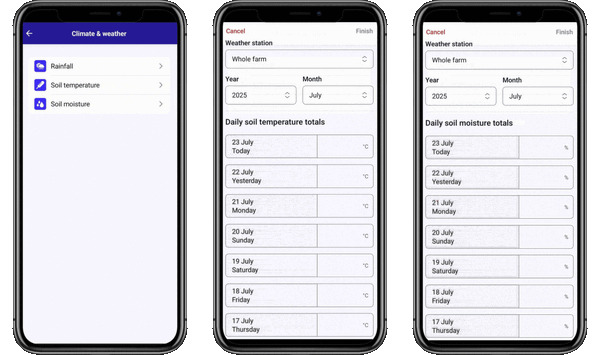
Record Soil Temperature & Moisture on mobile
You can now manually record soil temperature and moisture readings from your phone.
Available under Climate & Weather
Supports historical and seasonal recording
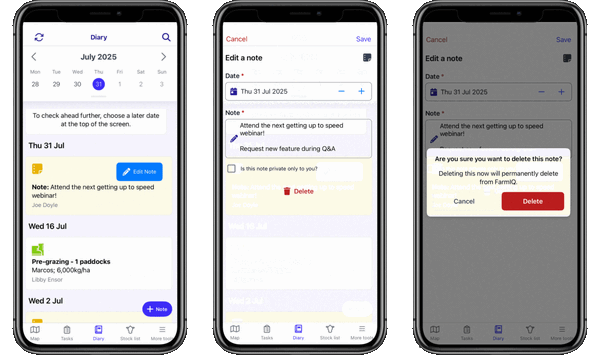
Edit and delete Diary notes on mobile
You can now edit and delete your notes directly from the mobile app. Handy for fixing typos, adding more details, or removing old reminders. Just tap on the Diary, find the note, tap "Edit Note" to make your change, and it will sync across devices.