Draw task locations directly on mobile
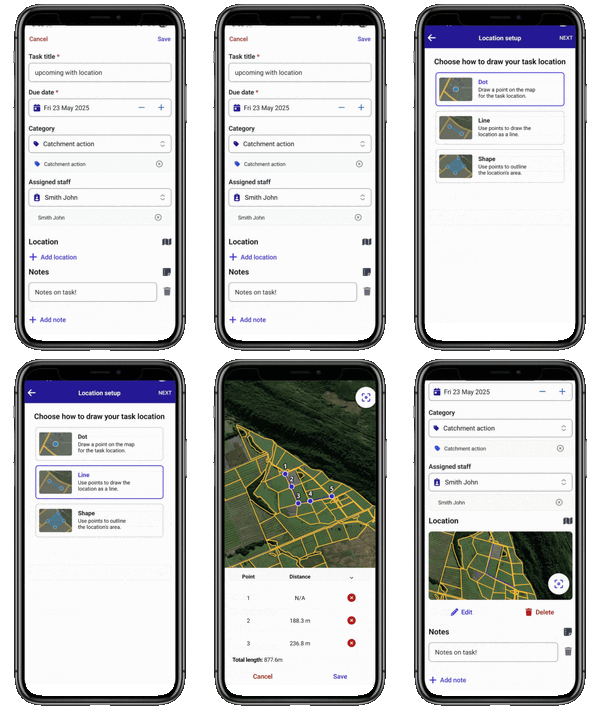
You can now add dots, lines, or shapes to the map when creating tasks in the FarmIQ mobile app - no need to jump on the web version.
This new drawing tool lets you:
Choose the best shape for your task: dot, line, or area (polygon)
Easily edit or delete points to fine-tune your map
Use colour options to visually separate different shapes
This reusable map-drawing component also lays the groundwork for more map features in the future, like custom feature layers.
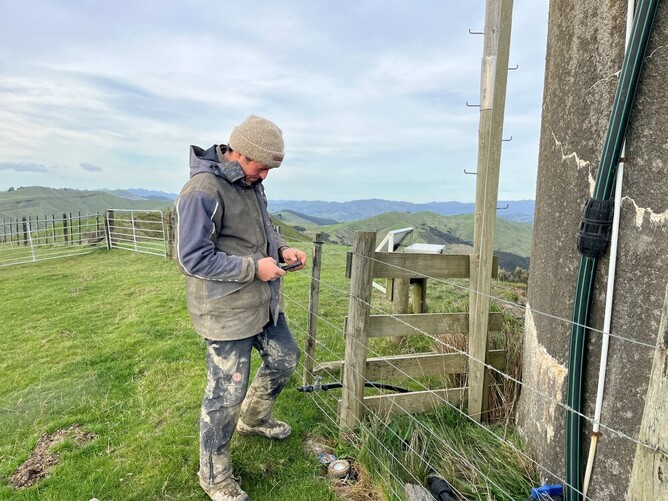
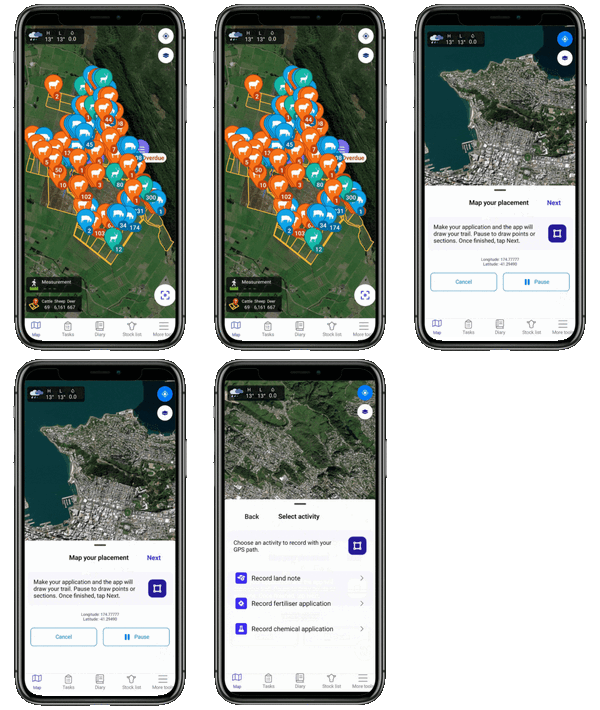
Map your placement with mobile GPS tracking
You can now use the Measure feature on mobile to capture GPS path for key on-farm activities like:
Land notes
Fertiliser application
Chemical application
Simply start your application and the app will track your location and draw your path on the map. You can pause at any time to drop points or outline specific sections. Just select the activity type you’re recording, and FarmIQ will do the rest.
Mobile styling upgrade – Part 2
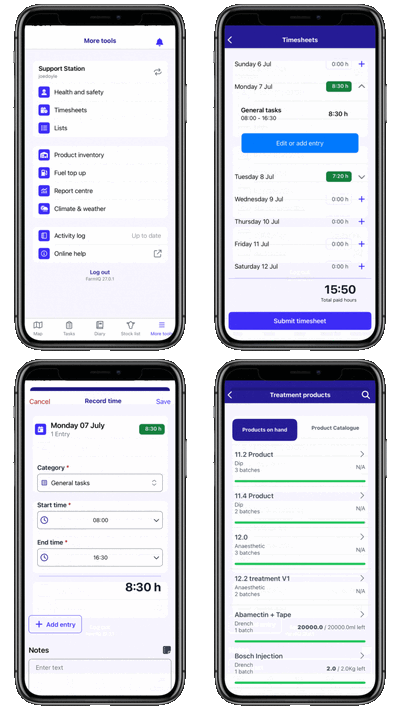
We’ve continued polishing the FarmIQ mobile experience, with several visual and usability improvements now live:
Fresh new look for Timesheets, including both start/stop and standard recording modes
Adding Batches and managing Product Inventory
Updated More menu navigation with a clearer layout
New log-out confirmation to prevent accidental exits
Refined visual states across the app for a more consistent feel
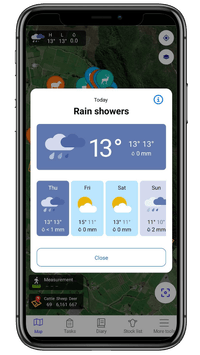
Weather forecast now on mobile
Using Open-Meteo's forecast service, we've added the ability to see current weather and a 7-day forecast for your farm’s location.
This new feature:
Displays weather info right on the map
Can be toggled on or off using the Layers button