Mobile just got a whole lot smarter
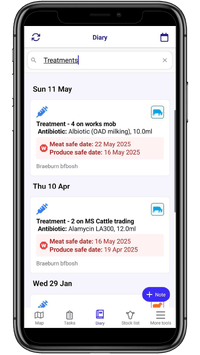
📱 Search the Mobile Diary
You can now search your diary on mobile - just like on the web!
Quickly find records, even if you scroll back in time.
New magnifying glass icon added to the diary for quick access
If you close the app while searching, FarmIQ remembers and opens back in search mode when you return.
📱 Tasks on the Mobile Map
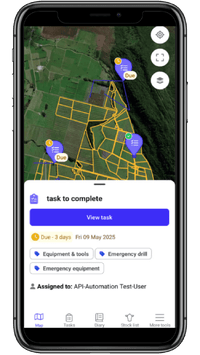
You can now see tasks displayed on the mobile map
Filters in your task list will control what’s shown on the map
Helping you visualise work across the farm, quickly and clearly
A small change that makes a big difference when planning your day.
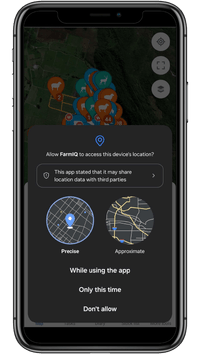
📱 Offline tracking & proof of placement
Background tracking now works even if the app is minimised
New proof of placement system records where work was done
More reliable, hands-free recording while you’re on the move
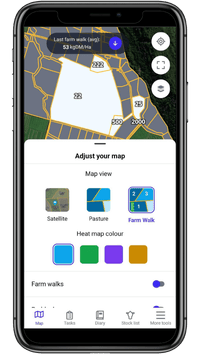
📱 New farm walk mode for pasture cover data entry
Farm Walk map view lets you record pasture covers paddock-by-paddock, directly on the farm map.
View today's covers as colour-coded paddocks with numbers (darker greens mean more feed)
Easily follow custom farm walks you've set up on the web, with labelled and numbered paddocks.
Tap the Layers button on the map to switch to Farm Walk view and start recording
Web and mobile features
📱💻 NAIT diary improvements
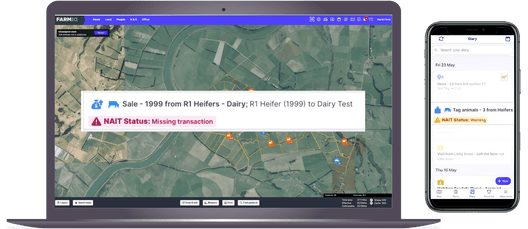
Get notified if NAIT transactions fail or have warnings - then use the Farm Diary to check NAIT status, view details, and resolve issues like missing tags or unregistered animals.
Filter your Diary by NAIT status to quickly find activities that failed, have warnings, or are missing tag info - so you can take action and keep your records accurate.
These new mobile recording features are available in the FarmIQ Essentials, Performance+ and Pro packs.
Some neat little extras
📱 More screen visual upgrades:
Cleaner layout, easier navigation, and faster access to key features.
📱💻 Drafting within unassigned stock:
To draft stock from unassigned stock, first enable the Mobs layer on the map, then select Unassigned stock to see and manage unassigned animals before drafting them to a new or existing mob.
📱💻 Notifications
Push notifications are sent for failed mobile transactions. Each notification links to the Activity Log, where you can view recorded activities, including any that haven’t synced properly with FarmIQ.